Getting started
Welcome to Mealuna
What Mealuna does and how the app is organized.
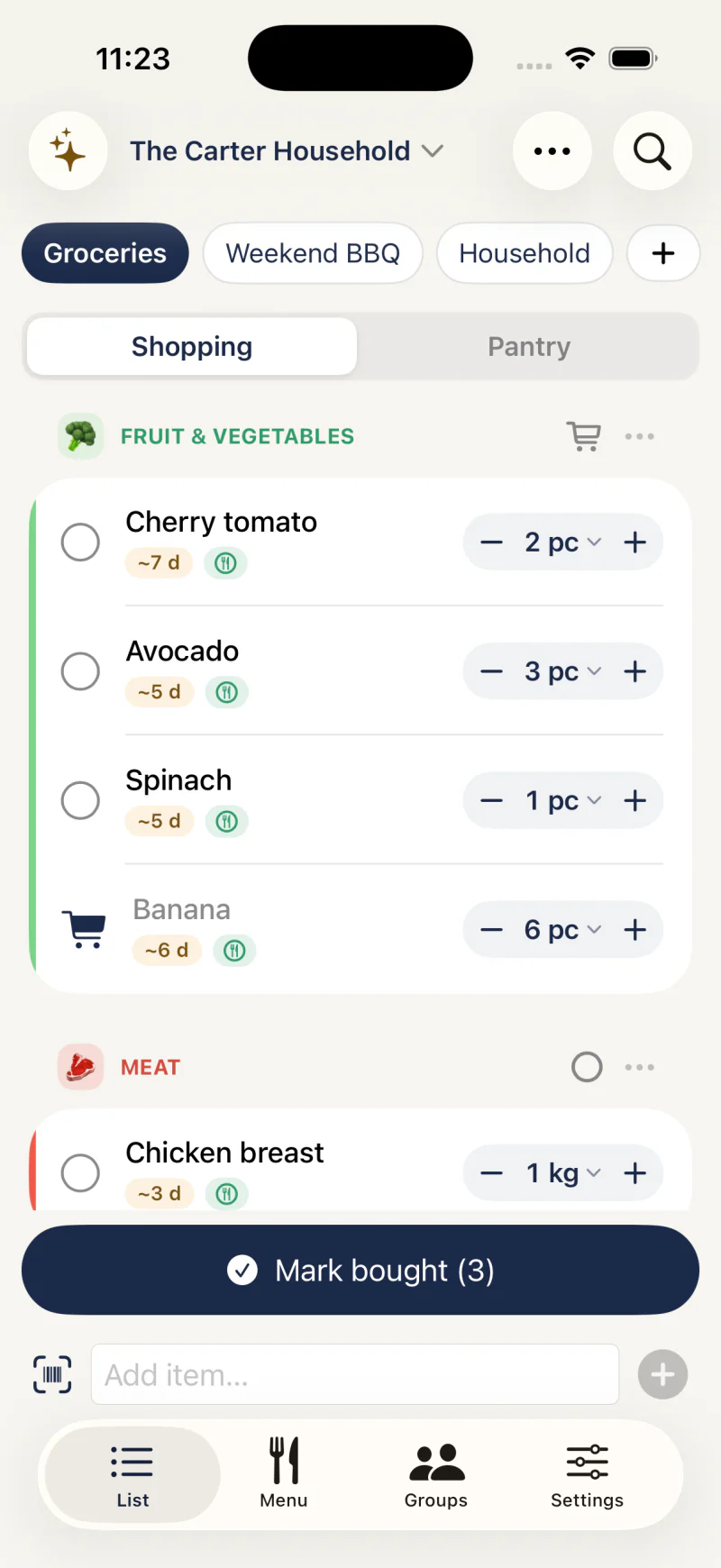
What Mealuna is for
Mealuna helps a household answer two everyday questions: what do we need, and what's for dinner. It is a shared shopping list, a pantry tracker, and a recipe planner that the whole group can use together.
Changes sync across everyone's devices within seconds. The list and pantry also work without internet, so you are never stuck mid-shop.
- Shared shopping list with real-time sync
- Pantry tracking for fridge, freezer, and cupboards
- Barcode and receipt scanning
- Recipes and weekly meal planning
- Cost splitting and balances
How the app is laid out
The main tabs are your list, your menu, and settings; your groups live in Settings. Your pantry lives inside the list tab as a Buy / Pantry switch, and each group (a household) has its own lists, pantry, and balances.
Settings opens on a short list of categories with your profile on top, and the Search settings field finds any setting, in the app's language or in English.
Most actions live behind a clear plus button for adding, and a three-dot menu for history and options.
Free to start
You can use Mealuna for daily shopping without paying anything.
Paid plans add more groups and lists, recipe and menu planning, and store prices; cost splitting and purchase history are free. The Pricing page has the full feature comparison.