Pantry
Auto-add, consumption insight, and expiry
Let your pantry fill itself and warn you before food expires.
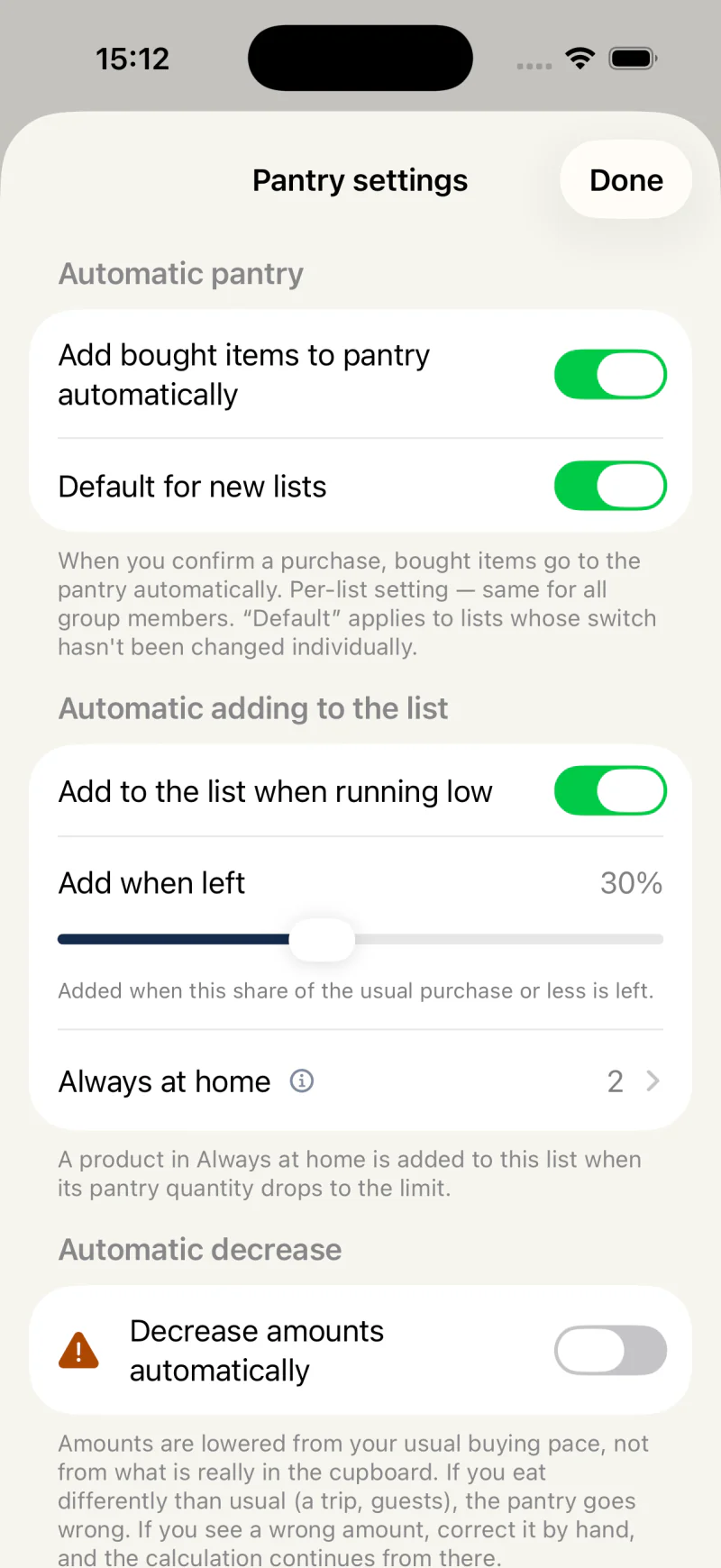
Pantry auto-add (Premium)
When you confirm the purchase at checkout, the bought items go to your pantry automatically. You shop as usual and your pantry stays current with no extra steps.
Once Add bought items to pantry automatically is switched on for the list itself in its Pantry settings (not only through Default for new lists), its pantry no longer offers bought items again under Recently bought — they are already there.
Consumption insight (Premium)
Mealuna estimates how much of each pantry item you likely have left, based on how fast you tend to use it. This is an estimate to help you plan, not an exact count.
The estimate starts from the last amount you confirmed yourself - by tapping minus, marking the item out, editing it, cooking with it or logging it in the food diary from the pantry - and counts every purchase since then from the day you bought it. Two bags bought a few days apart therefore do not add up to more than you really have.
Automatic decrease (Premium)
If nobody in the group taps minus, the pantry slowly stops matching what is at home. Automatic decrease lets Mealuna lower the amounts for you: each time the app opens or refreshes, a product you buy regularly is set to its estimate, rounded up, once the estimate is at least one step below the amount shown. Products without a steady buying pattern, and things you make from a recipe, are left alone.
It is off until you switch it on, for each shopping list on its own: in that list's Pantry settings, under Automatic decrease, turn on Decrease amounts automatically. Before it starts, Mealuna explains what it will do and asks you to confirm.
The amounts come from your usual buying pace, not from a look in the cupboard, so a trip or a weekend with guests can put them off. When an amount is wrong, correct it; the calculation carries on from the amount you set. While it is on, the products it looks after are marked Estimated.
Using a product after it was lowered does not take it twice. When you tap minus, cook with it or log it in the food diary, Mealuna first counts what the estimate had already taken.
- You see a message naming what was lowered.
- If Add to the list when running low is also on, a product lowered to its limit goes on the shopping list in the same step, and that addition can be undone.
Expiry date tracking
Best-before dates fill in automatically from catalog defaults where available, and you can adjust them. A badge warns you before an item is due to expire so you can use it in time.